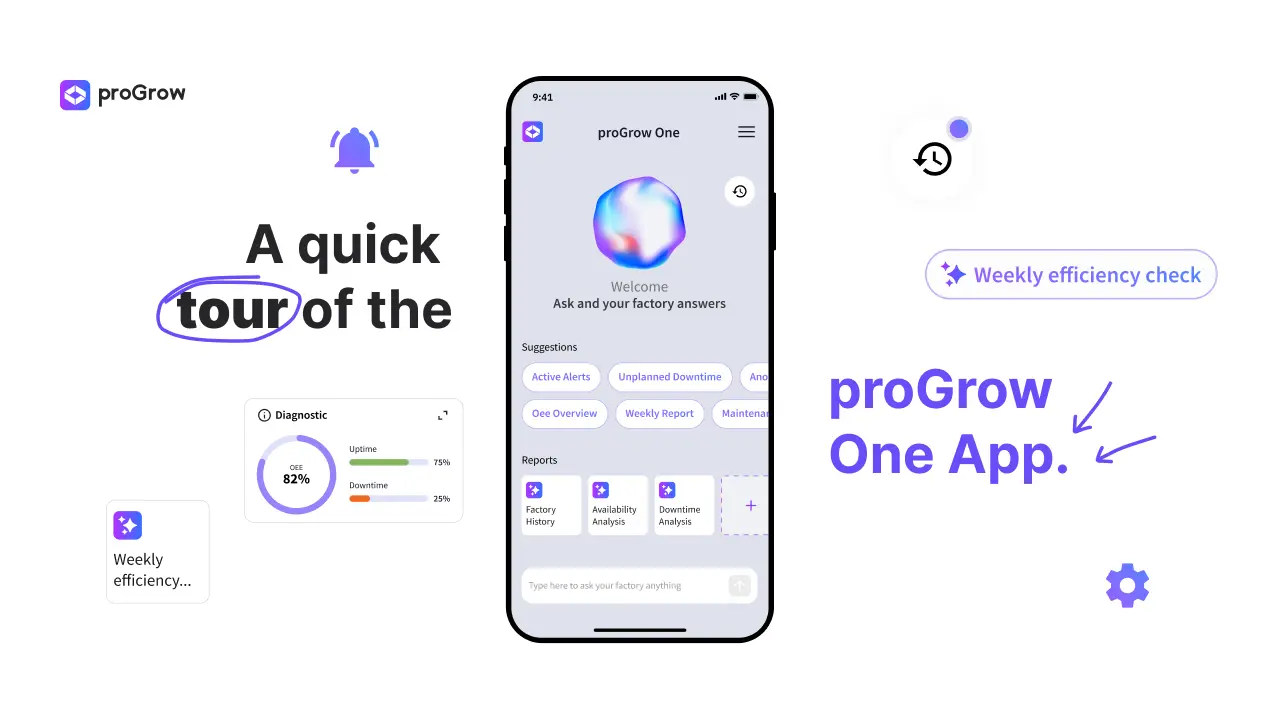
A quick tour of the proGrow One App
Updated
September 9, 2026
Ready to carry your entire shopfloor right in your pocket?
Stop relying on manual tracking and delayed data to manage your shop floor. With the proGrow One App, you can talk to your factory in real-time, monitor OEE instantly, and make data-driven decisions from anywhere.
How to get started with proGrow One in a few simple steps:
- Download & Onboard: Get the app on Google Play or the App Store. Open it up and answer a few quick questions about your industry to tailor your experience.
- Login with Company Email: Tap 'Login' in the top right corner. Use your professional email and if your company isn’t set up with proGrow yet, our team will help you get started in seconds.
- Explore the AI Chat: Tap on smart icebreakers or type directly to ask questions about your production, get instant metrics, and review past conversations in your history log.
- Automate Custom Reports: Set up recurring analysis (Daily, Weekly, or Monthly) so you get key insights delivered automatically without lifting a finger.
- Monitor with Supervisor View: Check your entire shopfloor machine-by-machine in real-time — see live status (running/stopped), active operators, current products, and overall OEE, uptime, and downtime.
- Expand & Collaborate: Easily switch workspaces, invite team members, or request new station connections directly through the app menu.
Stop manual tracking. Start receiving automated insights.
If you have any doubt don’t be afraid to reach out, we are always available to help you. Contact us via: www.progrow.ai/demo or hello@progrow.ai.
More articles
.webp)
How to Justify Stoppages in the proGrow One App
Master downtime management with proGrow: easily categorize machine stoppages, edit historical records, and keep your production data 100% accurate.
.webp)
Webinar: Customer Voice in 5.0 Industry with Luís Alves
Luís Alves shares how Formaplás transformed its shop floor using proGrow's real-time connectivity, AI analytics, and digital monitoring.
.webp)
How to Use the Supervisor View in the proGrow One App
Master your shopfloor with proGrow One App’s Supervisor View. Monitor real-time OEE, track machine downtime, and boost factory efficiency.