
How to Create Customized Reports
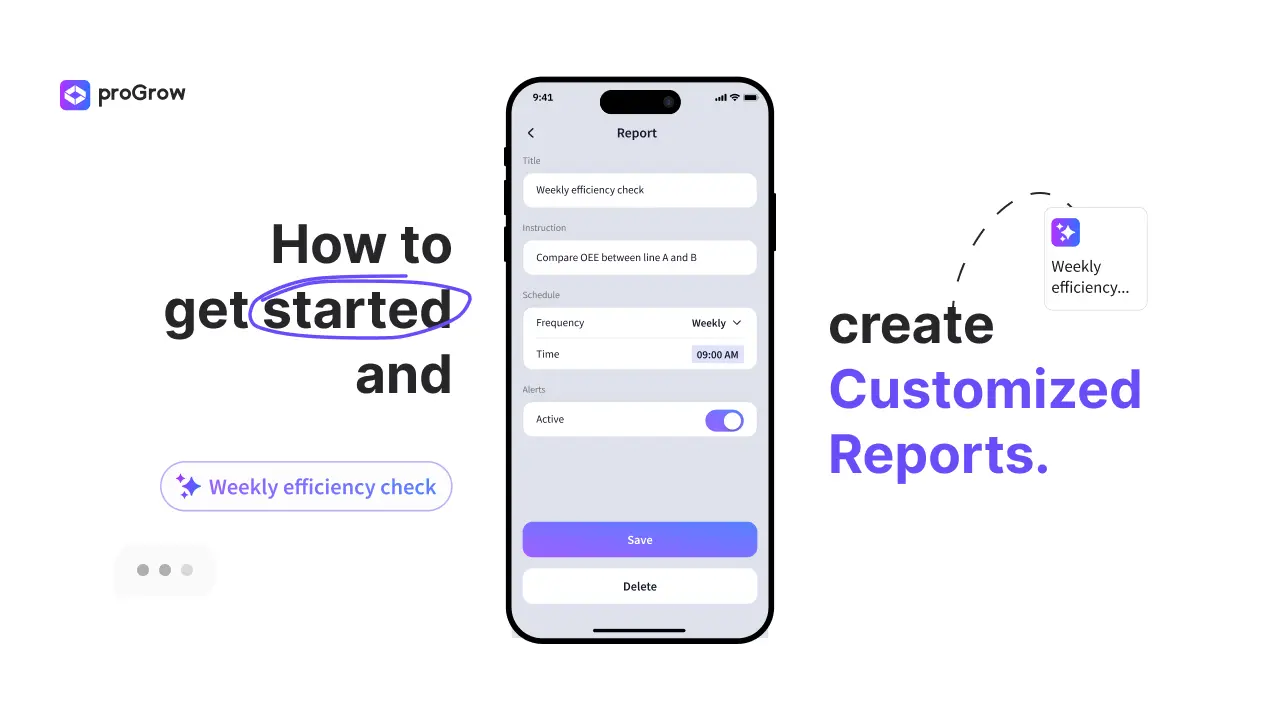
Still wasting hours preping for your next meeting?
Stop digging through spreadsheets to find the same metrics every week. With the proGrow One App, you can automate your insights and spend your time where it actually matters: making decisions.
How to automate your Reports in 4 steps:
- Start New: In the Reports section, click the '+' square to open the configuration.
- Define your Focus: Give it a Title and write your Instruction (e.g., "Compare OEE between Line A and Line B").
- Set the Rhythm: Choose your Schedule (Daily, Weekly, or Monthly) and the exact time you want to receive it.
- Save and Relax: Toggle Alerts to stay notified and hit 'Save'.
Pro-Tip: Once your report is generated, use the AI icebreakers to filter results instantly and dive deeper into the data without any manual effort.
Need to clean up your dashboard? Just long-press any report to open settings and select 'Delete'. It’s that simple to keep your workspace organized.
Still haven't explored the power of AI in your factory?
Start creating your customized views today and talk to your production data in real-time.
Stop manual tracking. Start receiving automated insights.
Still haven't downloaded the app? Download now the app and start talking with your factory.
If you have any doubt don’t be afraid to reach out, we are always available to help you.
More articles
.webp)
How to Use the Supervisor View in the proGrow One App
Master your shopfloor with proGrow One App’s Supervisor View. Monitor real-time OEE, track machine downtime, and boost factory efficiency.

OEE & TEEP Calculation: How Context Fixes Faulty Shopfloor Metrics
Stop penalizing your shopfloor with a broken OEE calculation. Learn how to map planned vs unplanned downtime accurately using smart software.
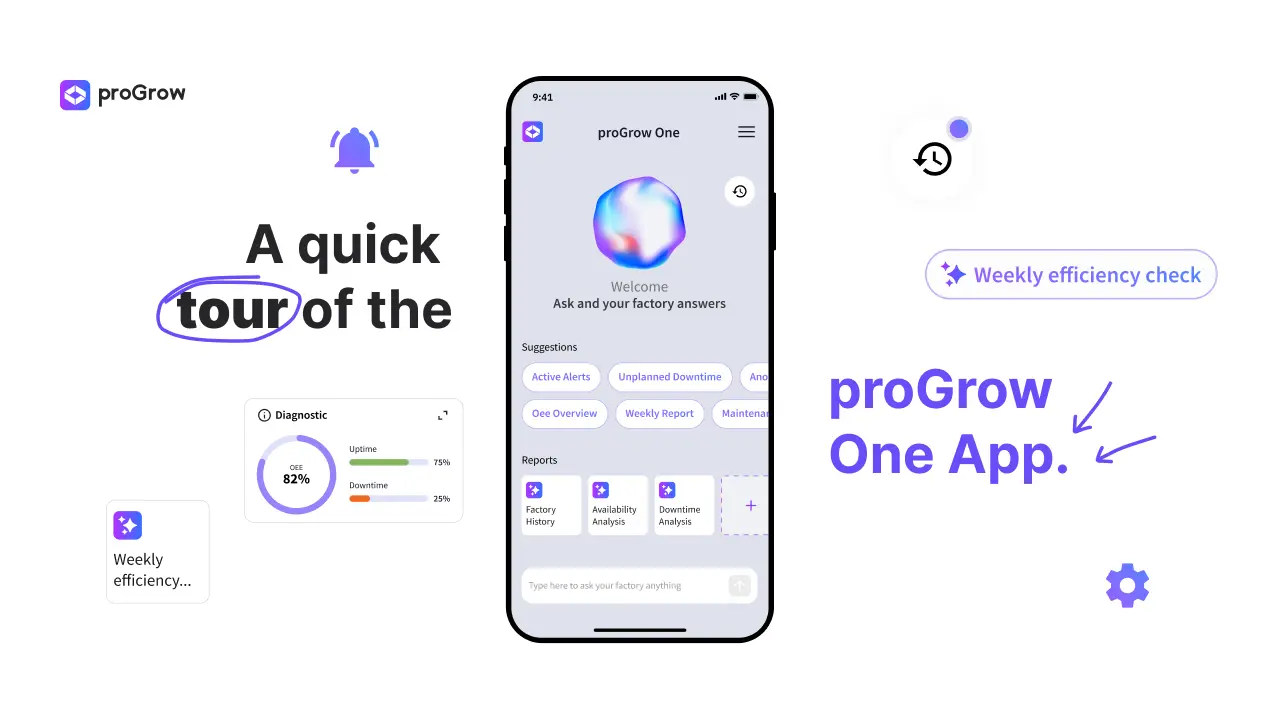
A quick tour of the proGrow One App
Learn how the proGrow One App digitalizes your factory, offering real-time OEE tracking, machine monitoring, and AI insights.